idea2paper orchestrates 6 specialized AI agents to turn a research idea into a paper — proposal analysis, literature search, Slurm experiments, LaTeX drafting, and iterative peer review — while you stay in control via CLI, Dashboard, or Telegram.
Give it an idea and a venue. idea2paper handles the rest.
The fastest way to try it is the hosted instance at idea2paper.org — sign in with your email, add one OpenRouter API key, and launch. A full paper with a budget model like DeepSeek typically bills $10–25 of your own API credit, depending on length — the dashboard shows the actual billed total per run. Self-hosting is a one-line install (below).
Papers Written by idea2paper
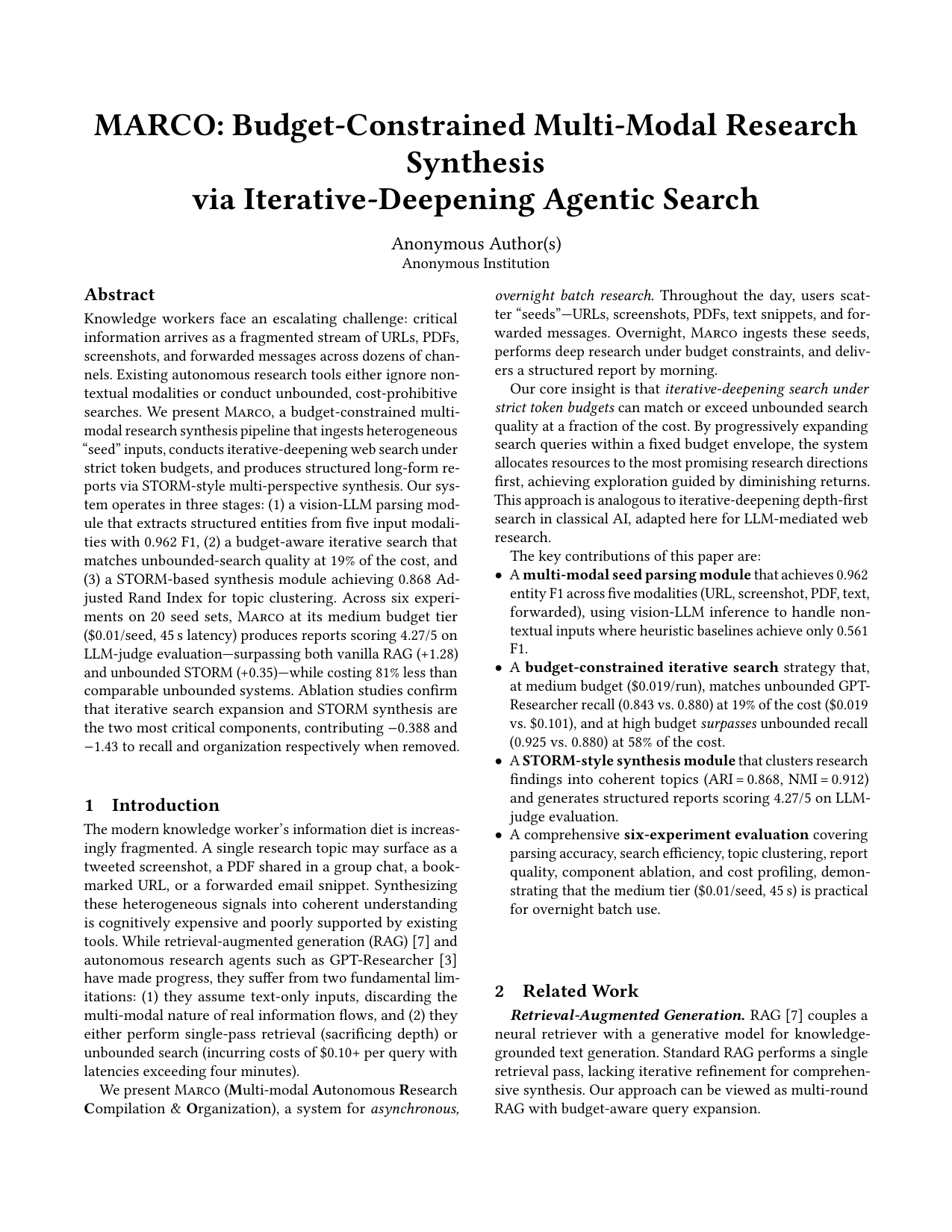
Budget-Constrained Multi-Modal Research Synthesis via Iterative-Deepening Agentic Search Template: EuroMLSys |
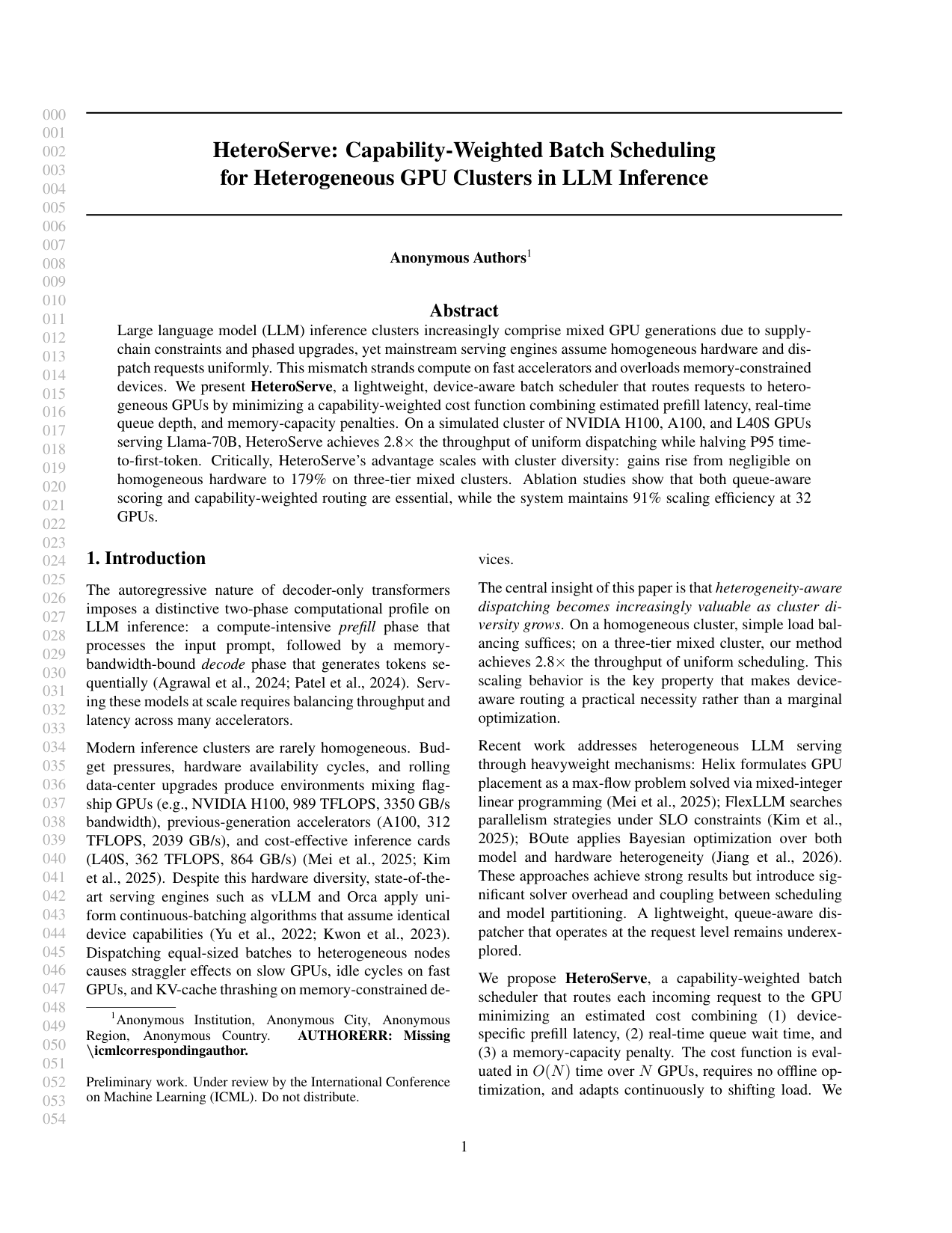
HeteroServe: Capability-Weighted Batch Scheduling for Heterogeneous GPU Clusters in LLM Inference Template: ICML |
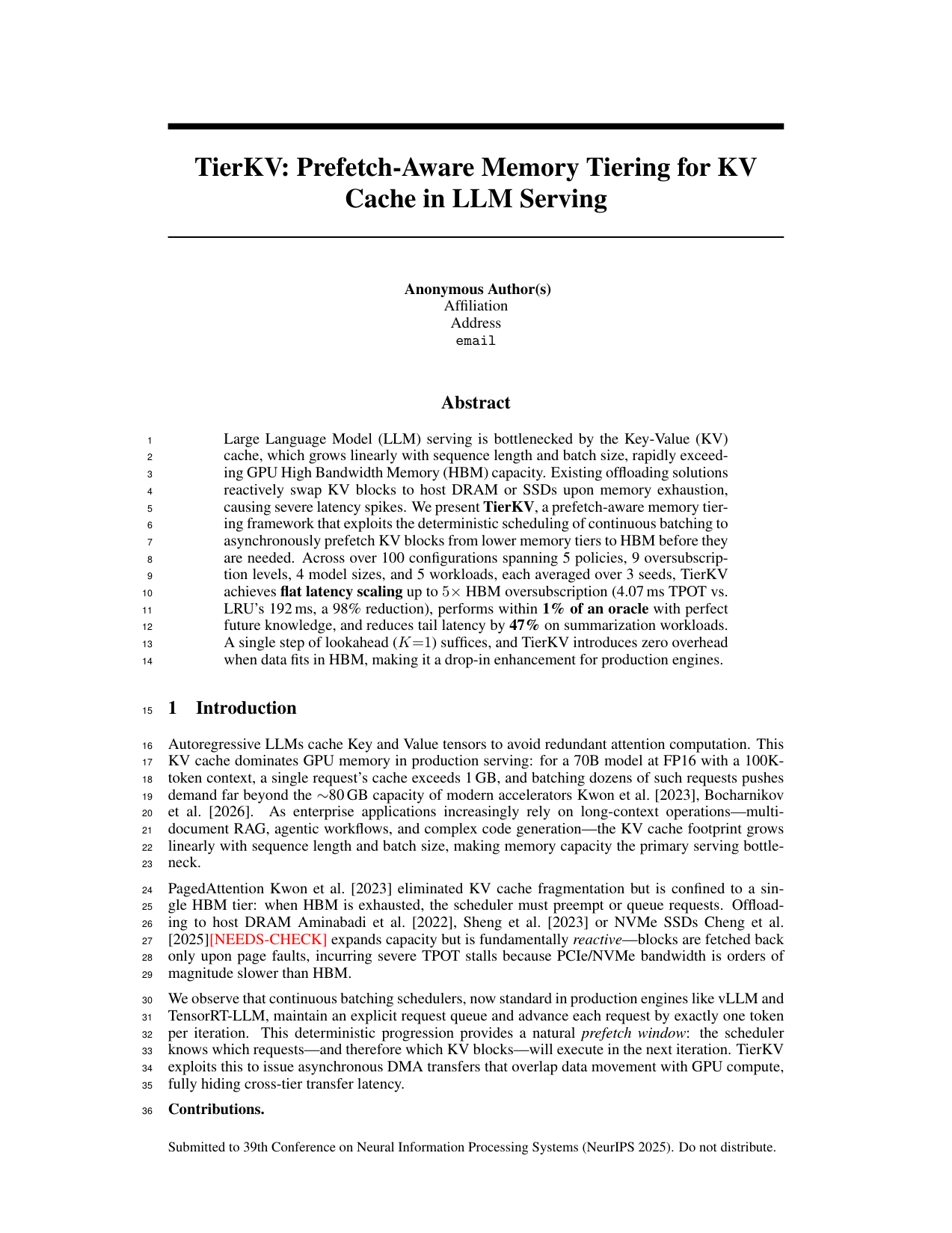
TierKV: Prefetch-Aware Memory Tiering for KV Cache in LLM Serving Template: NeurIPS |
Quick Start
curl -fsSL https://idea2paper.org/install.sh | bash
The script:
- Detects your OS, installs miniforge if missing, builds the
ark-baseandarkconda envs, pip-installs idea2paper editable into~/ARK, and installs the OpenHands CLI (the agent runtime, viauv— it bundles its own Python 3.12). - Asks for your API keys and an email for dashboard login. One OpenRouter key is the recommended setup — it unlocks every model plus deep research and figure generation; direct Anthropic / OpenAI / Gemini / DeepSeek keys also work. Press Enter to skip any.
- Installs the dashboard as a
systemd --userservice on port9527(use--no-webappto opt out). - Prints a one-time magic-link URL for your email — click it once and you're logged into the local dashboard. No SMTP, no Google OAuth.
After that the dashboard at http://localhost:9527 is the primary UX — create projects, set the model, run, monitor. The CLI also works:
ark doctor          # verify install
ark new myproject   # interactive project wizard
ark run  myproject
ark monitor myproject
Re-run ark webapp login <email> anytime for a fresh sign-in link. Full installer flags: website/homepage/install.sh --help.
Start from an Existing PDF
ark new myproject --from-pdf proposal.pdf
idea2paper parses the PDF with PyMuPDF + Claude Haiku, pre-fills the wizard, and kicks off from the extracted spec.
Requirements
- Python 3.10+ with
pyyamlandPyMuPDF - Agent runtime: OpenHands CLI (installed via
uv, bundles its own Python 3.12) — one runtime that drives Claude / GPT / Gemini / any LiteLLM model, selected per project viamodelinconfig.yaml - API key: one OpenRouter key covers every model, deep research (Perplexity), and AI figures; single-vendor keys (Anthropic / OpenAI / Gemini / DeepSeek / …) work too but lose the pieces their vendor doesn't serve
- Optional: LaTeX (
pdflatex+bibtex), Slurm
Manual Installation
The fastest path is the one-line installer in [Quick Start](#quick-start). It runs the steps below for you and prints onboarding hints. To do it by hand:# 1. Create the project research-stack template (no idea2paper code in here —
# each new project clones this env, so it must stay clean).
conda env create -f environment.yml # Linux (creates "ark-base")
# OR for macOS:
conda env create -f environment-macos.yml # macOS (creates "ark-base")
# 2. Install idea2paper itself into a SEPARATE env (not ark-base).
conda create -n ark python=3.11 -y
conda activate ark
pip install -e . # Core
pip install -e ".[research]" # + Gemini Deep Research & Nano Banana
pip install -e ".[webapp]" # + dashboard / systemd service support
# 3. Install the OpenHands CLI (the agent runtime). It is a standalone `uv`
# tool with its OWN bundled Python 3.12 — NOT a pip dependency — and must be
# on PATH for the orchestrator subprocess to find it.
pip install uv && uv tool install --python 3.12 openhands
# 4. Verify (checks the openhands runtime is on PATH, keys are present, etc.)
ark doctor
Framework

idea2paper orchestrates three phases — Initialization & Research, Iterative Development, and Iterative Review — coordinated through shared memory, a persistent Goal Anchor re-injected into every agent call to prevent drift, and human-in-the-loop steering via the web dashboard or Telegram.
Pipeline
idea2paper runs three phases in sequence. The Review phase loops until the paper reaches the target score.
| Phase | What Happens |
|---|---|
| Research | 5-step pipeline: Setup (conda env) → Analyze Proposal (researcher) → Deep Research (Perplexity via OpenRouter, or Gemini) → Specialization (researcher) → Bootstrap (skills & citations) |
| Dev | Iterative experiment cycle: Plan Experiments → Run Experiments (Slurm or local) → Analyze Results → Evaluate Completeness |
| Review | Compile → Review → Plan → Execute → Validate, repeating until score ≥ threshold |
Review Loop details
Each iteration of the Review phase runs **5 steps**: | Step | Description | |:-----|:------------| | **Compile** | LaTeX → PDF, page count, page images | | **Review** | AI reviewer scores 1–10, lists Major & Minor issues | | **Plan** | Planner creates a prioritized action plan | | **Execute** | Researcher + Experimenter run in parallel; Writer revises LaTeX | | **Validate** | Verify changes compile; recompile PDF | The loop repeats until the score reaches the acceptance threshold — or you intervene via Telegram.Agents
| Agent | Role |
|---|---|
| Researcher | Analyzes the proposal, runs the deep-research literature survey, and specializes agent prompts for the project |
| Reviewer | Scores the paper against venue standards, generates improvement tasks |
| Planner | Turns review feedback into a prioritized action plan; analyzes Dev-phase results |
| Writer | Drafts and refines LaTeX sections with DBLP-verified references |
| Experimenter | Designs experiments, submits Slurm jobs, analyzes results |
| Coder | Writes and debugs experiment code and analysis scripts |
Guardrails & Step Log
An autonomous run is watched and gated, not a black box.
- Live step log. Every agent's actions — each bash command, file edit, and
result — stream into the log as they happen (no more 30-minute blank), and into
a structured
agent_steps.jsonl. Secret values are redacted automatically. Tune detail withlog_verbosity: quiet|normal|verbose|debug. - Pause-and-ask before the risky stuff. Before deleting files, launching a burst of jobs, provisioning a paid cloud instance, handling credentials, pushing/exfiltrating data, or crossing a spend cap, idea2paper asks you on Telegram and waits for approval (Approve / Deny / remember-this). It remembers your answer so it doesn't re-ask, denies on timeout, and fails open (auto-allows + logs) when no Telegram is configured — so nothing ever hangs.
- Idea gatekeeper (Gate A / Gate B). Every submitted idea passes a pre-launch ethics-and-soundness review (Gate A); after the literature survey a novelty/scope check (Gate B) flags overlap with existing work and folds honest scoping into the paper instead of overclaiming.
- Delivery checks. Before a paper is delivered it is verified against an
explicit contract — disclosure present, every citation resolved, references
non-empty, generated figures actually used, page budget respected. The same
checks run standalone via
ark audit <project> [--repair]. - AI-use disclosure. Every paper carries an acknowledgment that it was produced with Idea2Paper and reviewed by the authors — inserted automatically, for every venue.
- Two enforcement layers. Shadow-PATH wrappers gate risky commands before
they run; a circuit breaker backstops anything that bypasses them. The
orchestrator's own autonomous cloud-provision / git-push / spend actions are
gated too — but commands you trigger yourself (
ark clear, delete, stop) are not.
Configure it all under the intervention: block in
config.example.yaml; the default autonomy level
(standard) only interrupts you for genuinely high-stakes actions.
What Sets idea2paper Apart
| Other Tools | idea2paper | |
|---|---|---|
| Control | Fully autonomous — drifts from intent, no mid-run correction | Human-in-the-loop: pause at key decisions, steer via Telegram or web |
| Formatting | Broken layouts, LaTeX errors, manual cleanup | Venue templates + sub-page length control to hit page limits exactly |
| Citations | LLMs fabricate plausible-looking references | API-first BibTeX (DBLP / CrossRef / arXiv) with content–claim alignment |
| Review | Text-only review of the LaTeX source | Visual-grounded: page images and source, scored against venue standards |
| Figures | Default styles, wrong sizes, no page awareness | AI concept figures (PaperBanana) + venue-aware sizing: figures are saved at print size and never upscaled |
| Isolation | Shared env — projects interfere with each other | Per-project conda env, sandboxed HOME, full multi-tenant isolation |
| Integrity | LLMs simulate results instead of running real experiments | Anti-simulation prompts + builtin skills enforce real execution |
Environment Isolation
Each project runs in its own **per-project conda environment**, cloned from a base env at project creation. This ensures full multi-tenant isolation: - **Sandboxed Python** — per-project `.env/` directory with its own packages - **Isolated HOME** — each orchestrator runs with `HOME` set to the project directory - **No cross-contamination** — `PYTHONNOUSERSITE=1` prevents leaking user-site packages - **Automatic provisioning** — `ark run` and the Web Portal detect and use the project conda env; the pipeline bootstraps it if missing# The conda env is created automatically on first run.
# ark run will detect and use it:
ark run myproject
# Conda env: /path/to/projects/myproject/.env
Skills System
idea2paper ships with **builtin skills** — modular instruction sets that agents load at runtime to enforce best practices: | Skill | Purpose | |:------|:--------| | **research-integrity** | Anti-simulation prompts: agents must run real experiments, not fabricate outputs | | **human-intervention** | Escalation protocol: agents pause and ask via Telegram before irreversible actions | | **env-isolation** | Enforces per-project environment boundaries | | **runtime-sandbox** | Locks each project to its own conda env, `HOME`, and tmp dir at runtime | | **figure-integrity** | Validates figure content matches data; prevents placeholder or hallucinated plots | | **page-adjustment** | Maintains page limits by adjusting content density, not deleting sections | Skills live in `skills/builtin/` and are auto-installed during pipeline bootstrap. Domain skills (e.g., HPC) live in `skills/library/` and are pulled in by the Researcher when relevant.CLI Reference
| Command | Description |
|---|---|
ark new <name> |
Create project via interactive wizard |
ark run <name> |
Launch the pipeline (auto-detects per-project conda env) |
ark status [name] |
Score, iteration, phase, cost |
ark monitor <name> |
Live dashboard: agent activity, score trend |
ark update <name> |
Inject a mid-run instruction |
ark stop <name> |
Gracefully stop |
ark restart <name> |
Stop + restart |
ark research <name> |
Run Gemini Deep Research standalone |
ark config <name> [key] [val] |
View or edit config |
ark clear <name> |
Reset state for a fresh start |
ark delete <name> |
Remove project entirely |
ark setup-bot |
Configure Telegram bot |
ark list |
List all projects with status |
ark doctor |
Diagnose a self-host install (envs, API keys, webapp) |
ark cite-check <name> |
Verify project citations against DBLP / CrossRef |
ark cite-search <query> |
Search academic databases for papers |
ark audit <dir> [--repair] |
Verify delivered papers against the delivery contract |
ark share create <name> |
Generate a share URL for a project |
ark webapp install |
Install web dashboard service |
ark access … |
Manage the (optional) Cloudflare Access allowlist |
Dashboard
idea2paper includes a web dashboard for managing projects, viewing scores, and steering agents — served from a single FastAPI process that also hosts the homepage (one port, one systemd unit). Beyond live phase badges and logs it gives you:
- Fair queueing — every launch is capped at 2 dev + 2 review iterations; when the lanes are full, new projects queue with a position and an estimated finish time, and you get an email when the paper is done.
- Honest budgets — the cost card shows the provider-billed total (the actual OpenRouter invoice, including deep research and figures) when available, and clearly labels estimates otherwise.
- Key-aware model picker — only models you hold a key for are selectable; one OpenRouter key unlocks the whole list.
- Chat with your paper — ask questions about a finished project, request targeted edits, or re-run a single experiment without a full iteration.
- Page-fit modes — Relaxed / Balanced / Strict control how aggressively the paper is fitted to the venue page limit.
Configuration
Configured via .ark/webapp.env (auto-created on first ark webapp run). Set SMTP_* for magic-link login, ALLOWED_EMAILS / EMAIL_DOMAINS to restrict access, and optionally GOOGLE_CLIENT_ID / GOOGLE_CLIENT_SECRET for Google OAuth.
Management Commands
| Command | Description |
|---|---|
ark webapp |
Start the dashboard in the foreground (useful for debugging). |
ark webapp release |
Tag the current code and deploy to the production worktree. |
ark webapp install [--dev] |
Install and start as a systemd user service. |
ark webapp status |
Show status of the systemd service. |
ark webapp restart |
Restart the dashboard service. |
ark webapp logs [-f] |
View or tail service logs. |
ark webapp login <email> |
Print a fresh magic-link sign-in URL. |
ark webapp publish |
Tag origin/main as the next release (tag-driven deploy). |
Service Details (Prod vs. Dev)
| | Prod | Dev | |---|:-----|:----| | **Port** | 9527 | 1027 | | **Service Name** | `ark-webapp` | `ark-webapp-dev` | | **Conda Env** | `ark-prod` | `ark-dev` | | **Code Source** | `~/.ark/prod/` (pinned) | Current repository (live) |Hosting Idea2Paper for others?
Standing up a hosted, multi-tenant Idea2Paper instance — host + web app setup, shared-prod team releases, and the GCP/AWS launcher setup that lets clients run cloud compute in their own accounts — is covered end-to-end in the operator runbook:
Direct orchestrator invocation
python -m ark.orchestrator --project myproject --mode paper --max-iterations 20
python -m ark.orchestrator --project myproject --mode dev
Docker Usage
> > The idea2paper research runtime depends on scientific libraries that are most stable on x86_64. If you are building on an **Apple Silicon (M1/M2/M3)** Mac, you must build for the `linux/amd64` platform. > > All idea2paper Dockerfiles and the `docker-compose.yml` are configured to force `linux/amd64` by default. **Running with Docker Compose**# Start the web portal (builds the image automatically for amd64)
docker compose -f docker/docker-compose.yml up --build -d
docker compose -f docker/docker-compose.yml logs -f webapp
cp .ark/webapp.env.example .ark/webapp.env
# Edit .ark/webapp.env with your credentials
- ../.ark/webapp.env:/data/.ark/webapp.env:ro
docker compose -f docker/docker-compose.yml run --rm job \
  --project myproject \
  --project-dir /data/projects/<user-id>/myproject \
  --mode research \
  --iterations 10
# Build images (force amd64)
docker build --platform linux/amd64 -f docker/Dockerfile.webapp -t ark-webapp .
docker build --platform linux/amd64 -f docker/Dockerfile.job -t ark-job .

# Run the Web Portal
docker run -d --name ark-webapp \
  --platform linux/amd64 \
  -p 9527:9527 \
  -v ark_data:/data \
  ark-webapp

# Run a Research Job
docker run --rm -it \
  --platform linux/amd64 \
  -v ark_data:/data \
  -e ANTHROPIC_API_KEY="sk-ant-..." \
  ark-job \
  --project myproject \
  --project-dir /data/projects/myproject \
  --mode research
# Push to Artifact Registry (recommended)
./docker/push-gcp.sh --project [PROJECT_ID] --region [REGION] --repo [REPO] --build

# Push to Legacy Container Registry (gcr.io)
./docker/push-gcp.sh --project [PROJECT_ID] --legacy --build
Cloud Compute
idea2paper's v2 cloud architecture decouples the Control Plane from the Execution Plane, enabling the full orchestrator to run on a SkyPilot-provisioned cluster while you interact with a lightweight local webapp. SkyPilot is now the only cloud compute path — it provisions across AWS/GCP/Azure/Kubernetes from one abstraction, with spot instances, retries, and autostop teardown built in.
How it works:
1. The local webapp (or CLI) acts as a lightweight launcher — it runs sky launch to provision a remote Orchestrator cluster, syncs your project code (via SkyPilot workdir/file_mounts) and API keys, and triggers the orchestrator process.
2. The Orchestrator cluster runs all high-level logic (Researcher, Planner, Writer, LaTeX, figures) remotely in a detached session.
3. Experiments can run on the same orchestrator cluster or on a separate SkyPilot-provisioned GPU cluster (configurable independently).
4. The orchestrator reports state home over the /v1 control-plane API; the webapp streams logs and refreshes the Dashboard. The cluster self-terminates via autostop when the run completes (or after an idle window).
Cloud credentials are encrypted at rest using your
SECRET_KEY. Your keys are never logged or transmitted to third parties.
Configuration Hierarchy
idea2paper uses a three-tier configuration model for cloud compute: 1. **System Defaults**: Set in `webapp.env` — for GCP the central `CLOUD_GCP_PROJECT` holding the baked ARK image, plus `CLOUD_LAUNCHER_SA`, `CLOUD_LAUNCHER_SA_KEY`; for AWS `CLOUD_LAUNCHER_ROLE_ARN` + `CLOUD_LAUNCHER_AWS_PROFILE`; plus the shared `CLOUD_CONDA_ENV`. 2. **Global User Defaults**: Set in the **Settings** panel (⚙️). These apply to all your projects. 3. **Project Overrides**: Set during project creation or restart. These have the highest priority. This hierarchy lets you define standard defaults once, while easily swapping to a powerful GPU instance (accelerators, spot) for a specific experiment.Enabling Cloud Compute via the Dashboard
- Open the Settings panel (⚙️ icon in the top navigation bar).
- Open the Compute tab.
- Enter your GCP Project ID, grant the shown
ark-launcherservice account the required roles on your project, then click Verify access. (No service-account key is uploaded — you delegate access to your own project via IAM. Operators: seedocs/DEPLOYMENT.md§4.) - Click Save.
When creating a new project you can now independently select:
- Orchestrator Backend — skypilot to run the control plane on a SkyPilot-provisioned cluster, or local to run it on the same machine as the webapp.
- Experiment Backend — skypilot for GPU experiments, or local to run them on the Orchestrator cluster itself.
Creating a Project
Once cloud compute is configured, launch a project through the dashboard: 1. Click **New Project** from the dashboard home. 2. Fill in the research goal, target venue, and any additional instructions. 3. Click **Submit** — the webapp generates a `config.yaml`, provisions the Orchestrator cluster via SkyPilot, syncs your project, and starts the run. The generated `config.yaml` is stored at:~/.ark/data/projects/<user_id>/<project_id>/config.yaml
Cloud Provider Setup
Configuring the GCP / AWS / SkyPilot launcher — building the baked image,
creating the central ark-launcher identity, and wiring webapp.env — is an
operator task done once per hosted instance. It's documented step-by-step,
per cloud, in the deployment guide:
→ docs/DEPLOYMENT.md — §4 GCP · §5 AWS · §6 client onboarding · §8.4 config.yaml reference.
If you're using a hosted instance, you don't run any of that — just open Settings → Compute, enter your GCP project / AWS account, and click Verify access (above). Running on Azure or Kubernetes? SkyPilot handles those too; configure that cloud's credentials per the SkyPilot docs.
Log Streaming & Re-attachment
- **Log Streaming** — the Orchestrator cluster streams logs home over the `/v1` control-plane API; the webapp polls it periodically to show live progress. - **State Sync** — the orchestrator checkpoints its `auto_research/` state to the control plane periodically, so the Dashboard UI stays current and the run survives VM loss. - **Re-attachment** — if you restart your local webapp, idea2paper detects the persisted SkyPilot cluster and re-attaches to the running process without re-provisioning.Cost Control
> > Cloud clusters are billed by the hour. idea2paper leans on SkyPilot's built-in teardown to prevent runaway costs: > > - **Autostop-down** — every cluster is launched with an autostop-down window; if it sits idle past that window it **terminates itself**. Experiment clusters *always* autostop-down (it can only be tuned, not disabled); orchestrator clusters default to a window as a crash safety-net (tunable via `idle_minutes_to_autostop`). > - **Manual Stop** — clicking **Stop** in the dashboard flushes results and tears the cluster down (`sky down`). > > If the webapp process is killed unexpectedly, the autostop-down window still terminates the cluster on its own. Always verify no stray clusters remain (`sky status`) after unexpected shutdowns.Telegram Integration
ark setup-bot # one-time: paste BotFather token, auto-detect chat ID
Supported Venues
LaTeX templates ship for NeurIPS, ICML, ICLR, AAAI, MLSys, the ACL family (ACL / EMNLP / NAACL / EACL / AACL / COLING), the CVF family (CVPR / ICCV / WACV), the ACM acmart family (SOSP / EuroSys / ASPLOS / EuroMLSys), the USENIX family (OSDI / NSDI / ATC / FAST / Security), and IEEE / IEEEtran (INFOCOM and other IEEE venues) — all from official 2026 style files (MLSys reuses its unchanged 2025 kit) — plus a generic article fallback for TMLR, workshops, and technical reports. Custom templates are still accepted: idea2paper scans .tex / .aux / .sty to learn the layout, fixes compile errors, and enforces the venue page limit.
Community
微信交流群 / Join our WeChat group

The WeChat group QR refreshes periodically — open an issue if it has expired.